PlayBank
What it does
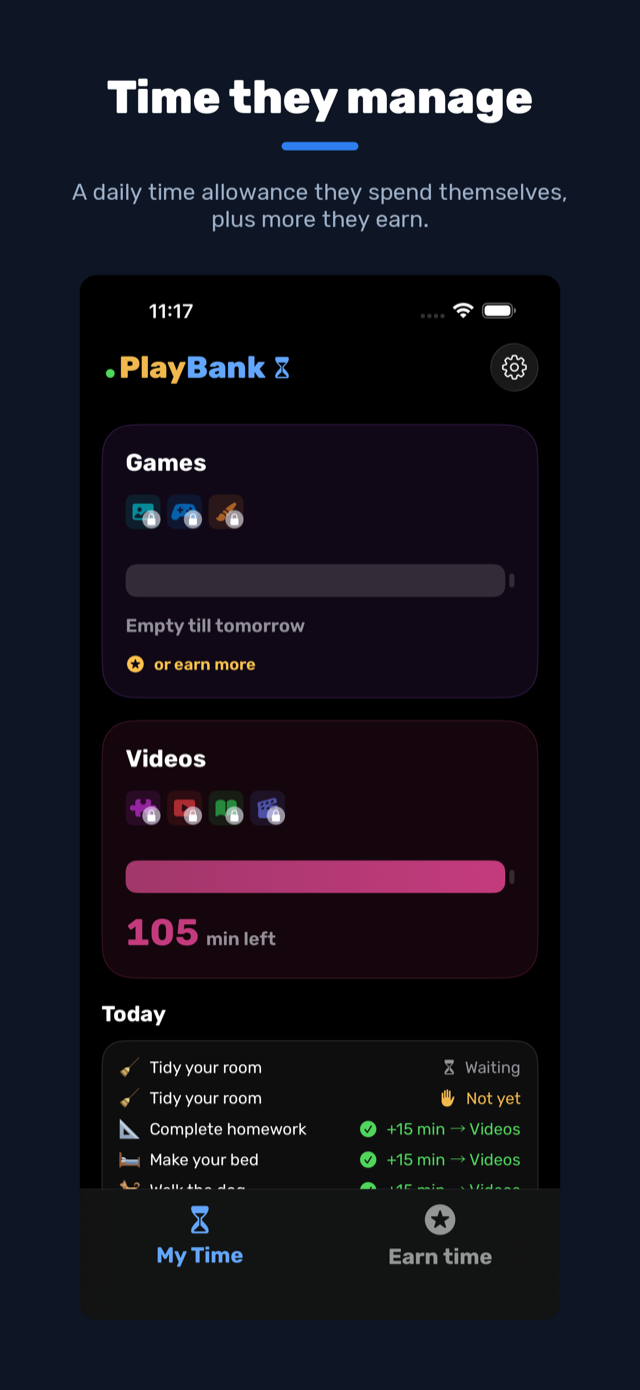
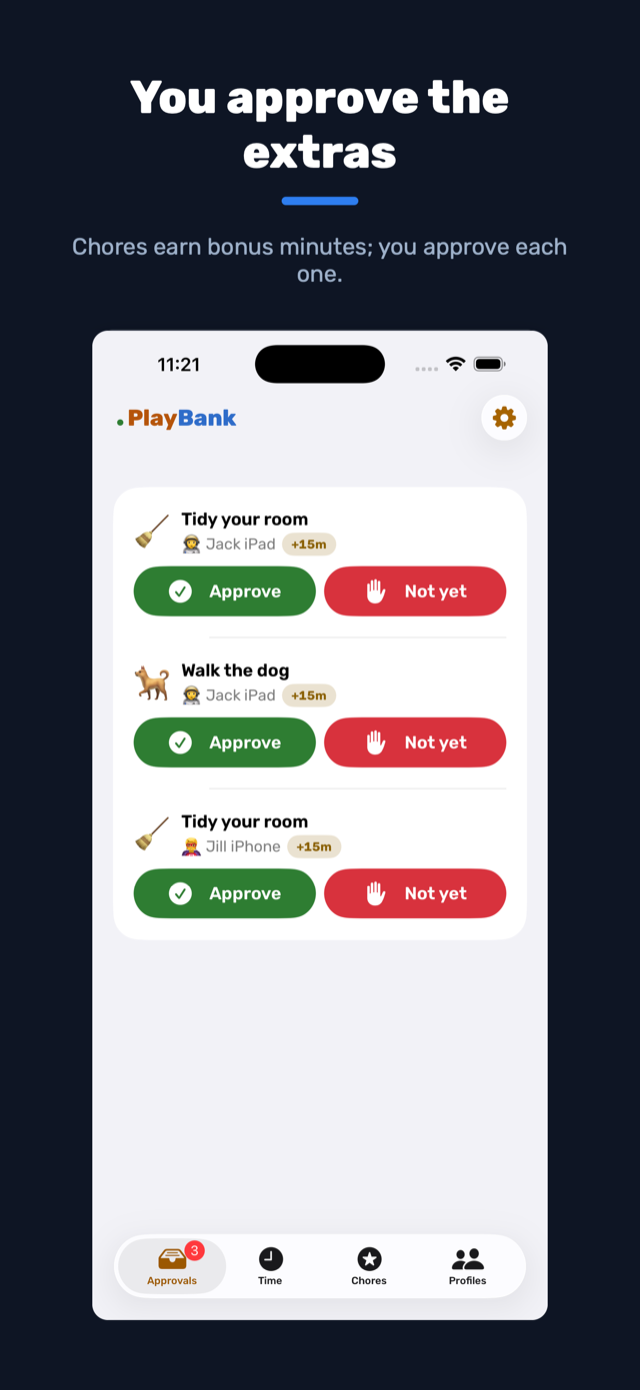
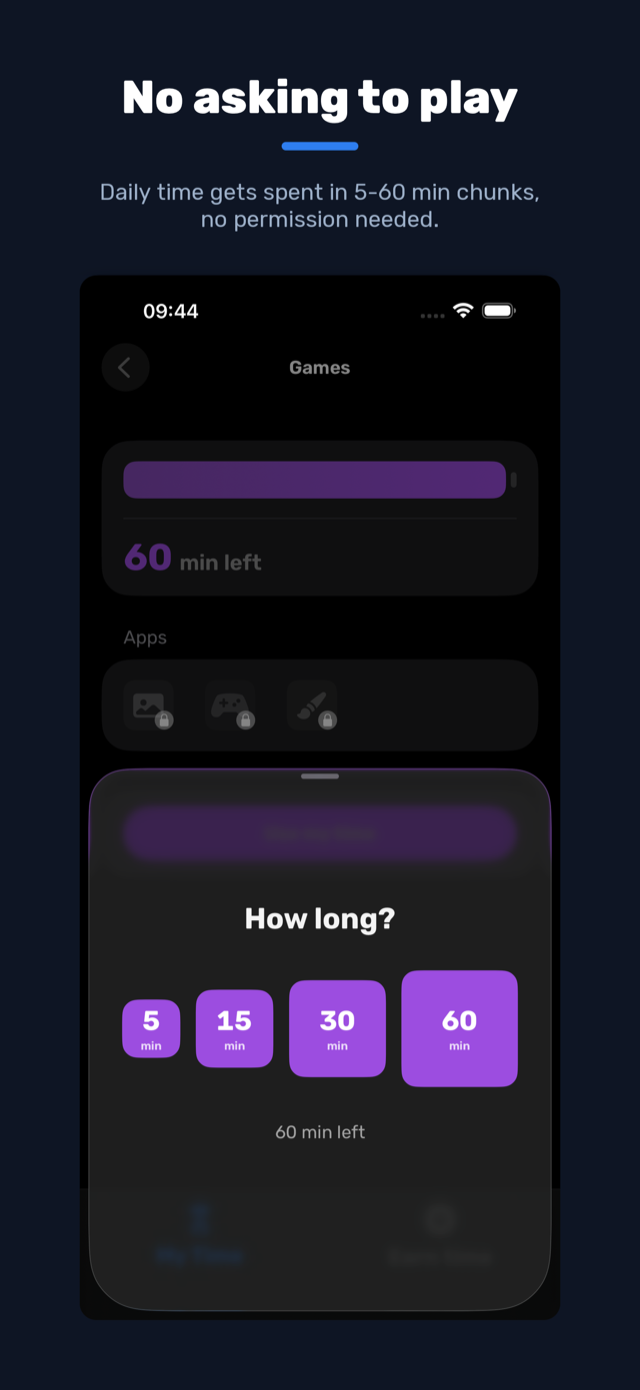
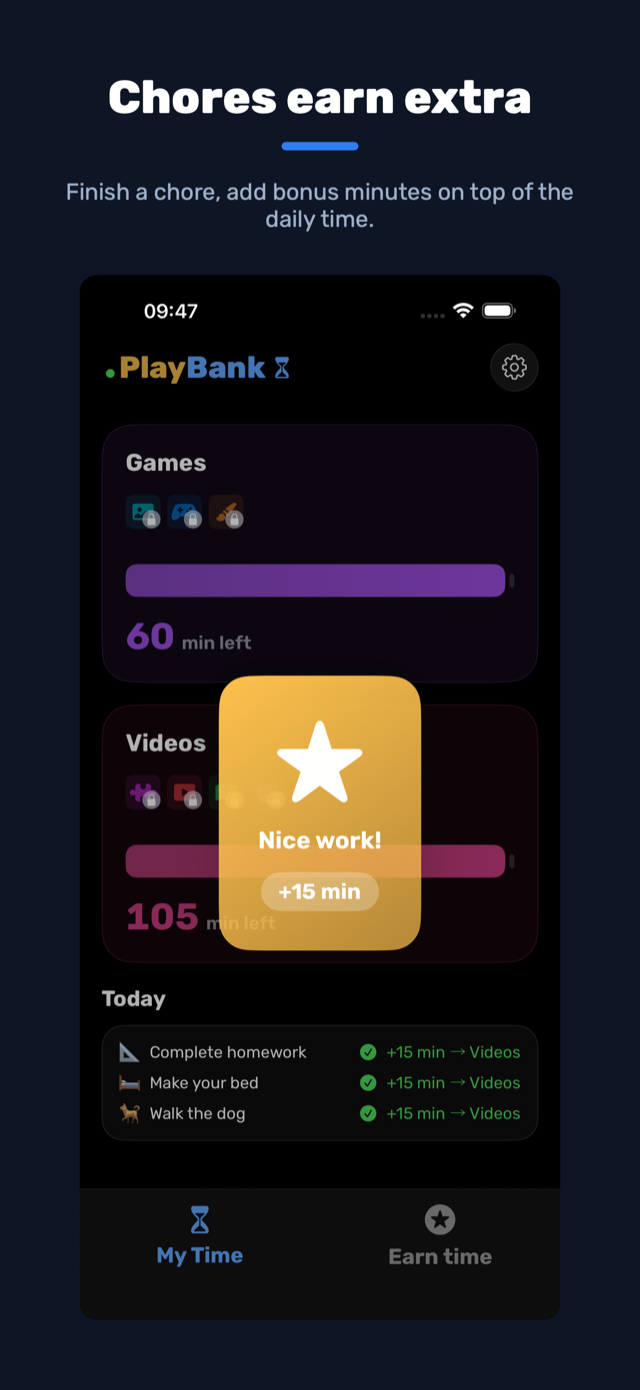
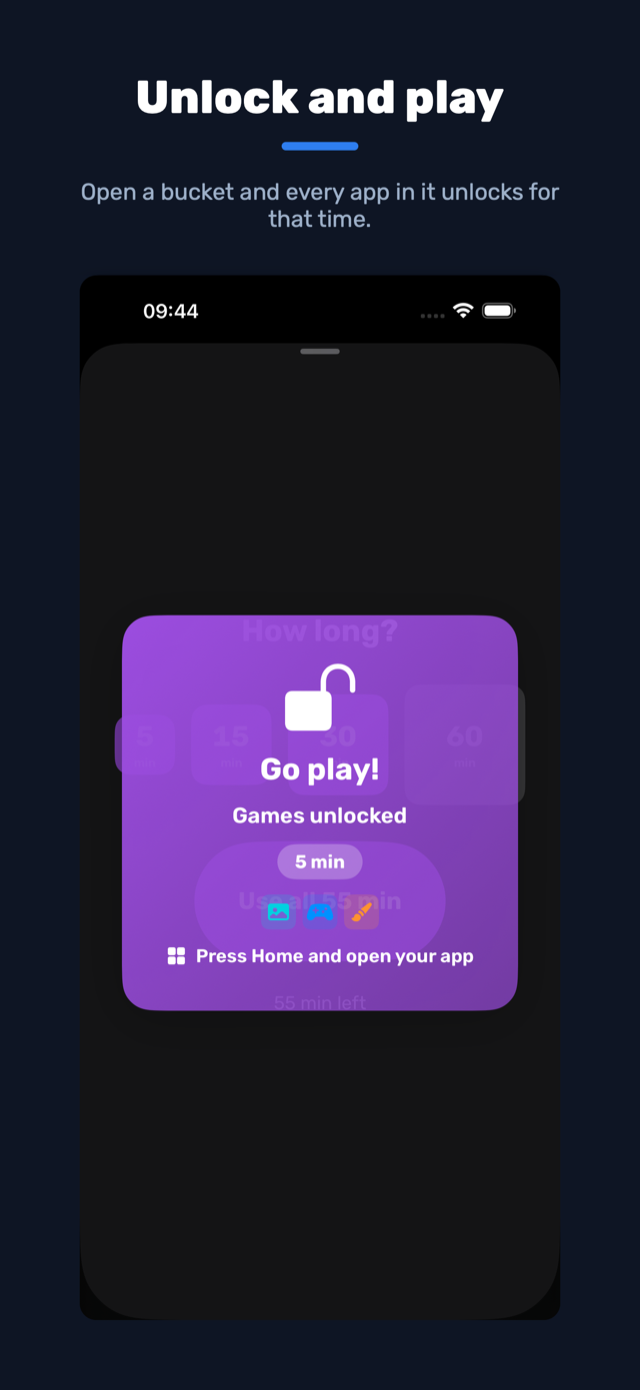
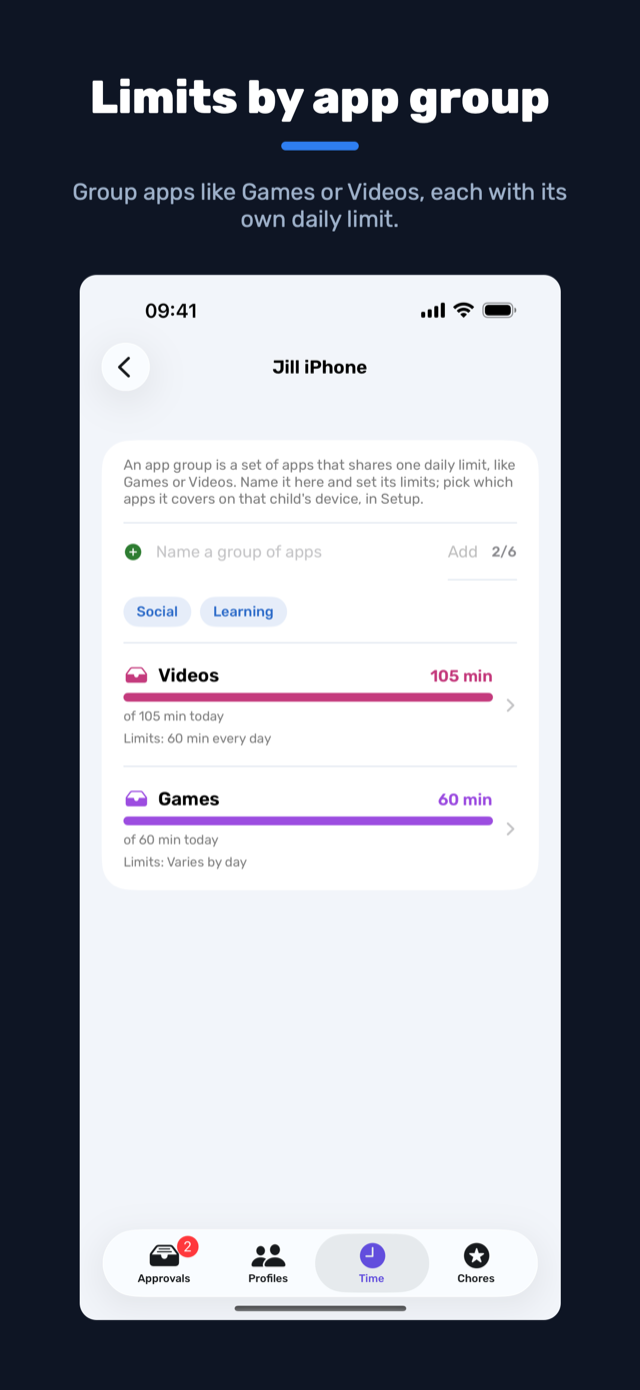
PlayBank turns screen time into something children earn and spend, like pocket money paid in minutes. Apps on a child's device start blocked, and the child opens them by spending minutes: some come from a daily limit, the rest are earned by doing chores a parent approves. When they want to play they ask for a chunk of time, and stopping early puts the unused minutes back on the meter.
There are no parent-set play hours. Each child decides how much to spend and when, and the day starts fresh at midnight. PlayBank runs on Apple's own Screen Time enforcement, managed from the parent's phone; what it adds is the earning and the wallet that Screen Time doesn't have.
See it
Free plan and subscription
Every family starts with a 14-day free trial of the whole app, no card needed. When it ends the family moves to the free plan, not a lock-out, and a subscription can be started at any time.
| Free plan | Subscription | |
|---|---|---|
| Price | £0 | £5.99 a month or £49.99 a year |
| Child profiles | 1 | up to 10 |
| App groups per child | 1 | up to 6 |
| Chores | 3 | up to 20 |
| Parent devices | 1 | 2 |
The annual plan saves about 30%. The subscribe page has the detail of what freezes when a trial ends and what a subscription brings back.
Get PlayBank

Help and privacy
Help and answers, including how to get in touch, are on the support page. The privacy policy explains what we collect and why.